Salesforce Design & Automation

Shape Salesforce around the way you work. From configuration and custom development to automated processes, we design, test and deploy practical improvements for your org.
Design, customize and improve Salesforce with Forceware. We specialize in designing and deploying automated contact centers with interactive AI assistants that help customers through voice conversations, phone calls, email and text messages.
Build relevant, connected knowledge for your Salesforce org. Equip your human teams and AI assistants with approved guidance and the permitted business information they need to understand a request and decide the next step. Turn natural language into structured information, with permissions defining what each assistant can read, what it can do, and when a person takes over.
We are working with private clients as we prepare our services for wider availability. Each engagement is scoped around your Salesforce environment, service processes and approved level of automation.
Discuss your Salesforce project · Explore our services · Build your org's knowledge · See the contact center workflow · Security and integration · BYOM: Build Your Own Model
Eight ways we help your organization get more from Salesforce, its knowledge and connected AI capabilities.
Shape Salesforce around the way you work. From configuration and custom development to automated processes, we design, test and deploy practical improvements for your org.

Help customers through voice, phone, email and text. AI assistants understand requests, use approved knowledge and resolve permitted tasks, with clear handoffs when human help is needed.

Connect documents, business information and employee expertise into useful knowledge. Equip human teams and AI assistants with relevant guidance, clear sources and information suited to their roles.

Give every request a clear path forward. Organize intake, assignment, escalation and resolution, with useful Case context and open work routed to the right human team.

Connect Salesforce with your knowledge, communication channels and business systems. Define authenticated connections and permitted exchanges so workflows can expand with clear boundaries between participating services.

Keep your administrators in control. Build on Salesforce Permission Sets, Permission Set Groups and record access to define what each person, assistant and integration may read or do.

Build Your Own Model (BYOM) with private company knowledge and a focus on your business. We also integrate approved frontier models where your data-handling requirements allow.

Make Salesforce information more useful. Improve data quality and organization, then build reports and dashboards that reveal service demand, open work and opportunities to improve performance.
Your business. Your knowledge. Your model. Forceware helps customers Build Your Own Model (BYOM): a private AI capability shaped around your organization, its language and its work. The goal is to make your company's knowledge useful to the people and AI assistants you authorize, while keeping sensitive business data within your organization's controlled environment.
Your contracts, customer relationships, operating procedures and hard-won experience are valuable business assets. They should help your organization become more capable without having to be sent to external frontier-model services. We help scope a model and knowledge solution around that requirement, with your team deciding what it may know, who may use it and which work it may support.
For a BYOM engagement with a requirement that data stays inside your organization, we design around private processing: company documents, questions, retrieved context and answers remain within the agreed organizational boundary. They are not sent to external frontier-model APIs for inference or used to train those providers' shared models. This requirement applies to the complete information journey, including supporting services and operational records, and must be validated before sensitive data is introduced.
This is a different choice from selecting an enterprise account with an external model provider. Forceware also supports frontier-model integrations with Anthropic, OpenAI and Google Gemini when those services suit an approved use case. BYOM gives customers a path for work that requires their own private model capability. We agree the processing boundary and confirm which Salesforce and business workflows can operate within it.
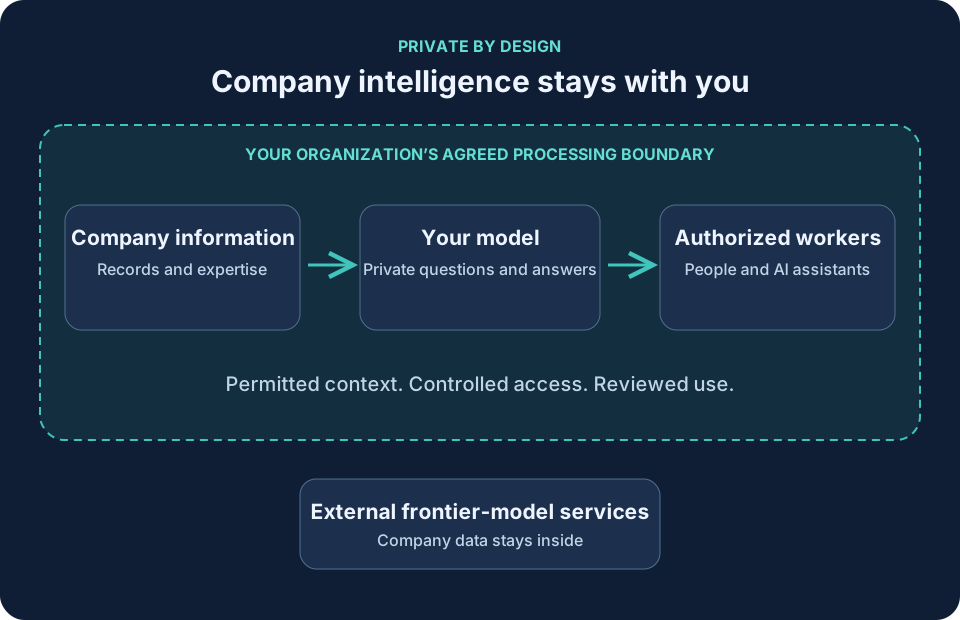
Private processing supports these advantages; it does not make a model automatically secure or accurate. We help define the access, information handling and review requirements for the agreed use case, and validate them with your authorized teams. Information with different access rules needs to remain separated even when it contributes to the same business process.
A general model understands a wide range of subjects. Your organization needs help with its particular products, customer commitments, terminology, exceptions and decisions. We start with the work: which questions consume time, which distinctions matter and what a useful answer must contain.
That focus might mean understanding product families and service entitlements, distinguishing an approved policy from an old draft, or preparing a case summary in the format your team uses. Where appropriate, we adapt a suitable existing model using approved examples and targeted training. Building your own model capability does not require starting a foundation model from scratch, and using an existing model remains subject to its license and suitability.
Model adaptation shapes how the model handles a task. Searchable company knowledge supplies the current facts it needs. Keeping these responsibilities clear helps avoid treating an old training example as today's policy or assuming the model remembers every company record correctly.
We help turn scattered information into a maintained resource: approved documents, relevant business records and expertise that employees have reviewed and captured. Sales, service, operations, finance, HR and leadership can contribute the knowledge appropriate to their roles. The aim is to make every relevant aspect of the business discoverable to authorized workers as coverage grows.
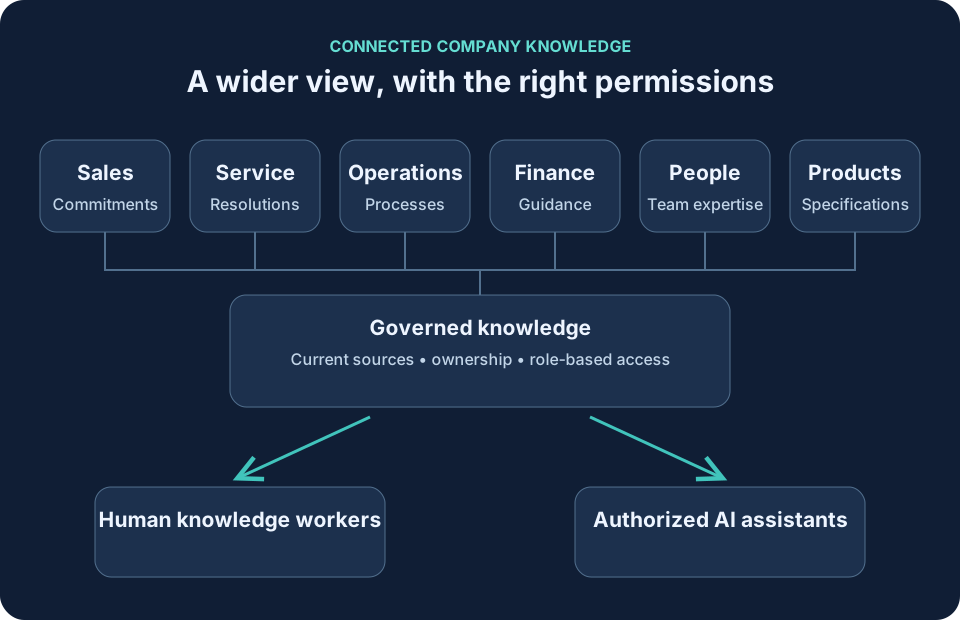
A useful answer connects facts that belong together. A customer question may depend on a contract, the product version, an open service case and a current operating policy. Connecting those sources gives a worker a broader view than any one document or system can provide. Search should preserve the source, its meaning and its access restrictions, so a broader view remains a responsible one.
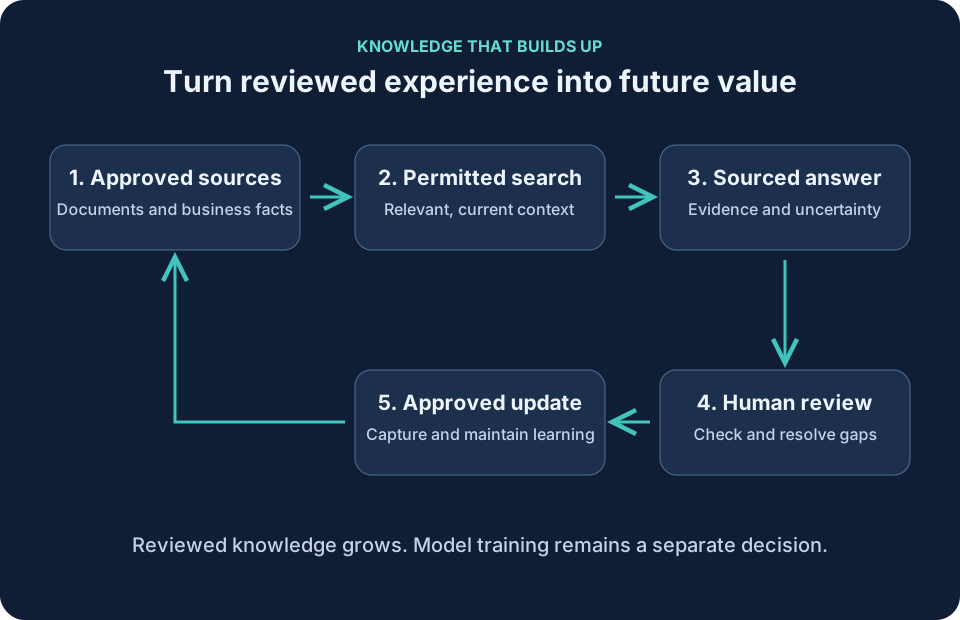
The value grows when learning becomes a deliberate business habit. Reviewed resolutions, newly approved guidance, documented exceptions and lessons from completed work can enrich the knowledge available to the next employee or assistant. Expertise becomes easier to reuse when a colleague changes roles or a new team member joins.
This accumulation needs care. We help identify knowledge owners, review cycles and a way to retire superseded guidance. Repeated unanswered questions reveal gaps worth filling. Conflicting documents need reconciliation, and an AI draft or an unverified conversation should not become authoritative knowledge merely because it was captured.
Refreshing searchable knowledge can make a new policy available without retraining the model for every document change. Model training is a separate, controlled decision. That distinction lets the knowledge grow while preserving a clear record of what is approved and current.
Human knowledge workers gain a place to ask business questions, trace answers to their sources and understand the surrounding context. An account manager can connect a customer's commitments with service history. A new employee can find the approved process and the reason behind an exception. A leader can examine the evidence behind a recurring operational issue.
Authorized AI assistants can work from the same maintained knowledge, tailored to their responsibilities. A service assistant may prepare a sourced summary; an operations assistant may identify missing information before a handoff. Reading knowledge does not give an assistant permission to change a record, approve a payment or make a commitment. Those actions retain their own authority and review requirements.
The intended result is fewer disconnected searches, more consistent guidance and better-supported decisions. Accuracy is evaluated against real business questions and source evidence. When the evidence is incomplete, outdated or contradictory, the useful response is to make that uncertainty visible and involve the right person.
An illustrative manufacturer: a service specialist asks whether a recurring fault is covered for a particular product. The private model capability can bring together the permitted warranty terms, product guidance, service history and reviewed troubleshooting knowledge. The specialist sees the relevant evidence before deciding the next step. Restricted commercial terms remain available only to authorized roles.
An illustrative professional-services firm: a new project team needs to understand an account's commitments and lessons from previous delivery. Workers can search approved proposals, project guidance and reviewed lessons together, with source references. A reviewed project conclusion can then improve the guidance for the next engagement, without making confidential client material available to unrelated teams.
What does BYOM mean at Forceware? BYOM means Build Your Own Model. Forceware helps customers build a private AI capability focused on their business, supported by maintained company knowledge.
Does company information go to external frontier models? The private BYOM offering is scoped around keeping company information within the agreed organizational boundary. External frontier-model integrations are a separate option for approved uses. The complete private processing requirement is validated before sensitive information is introduced.
Does building a model mean training one from scratch? No. A suitable existing model can be adapted where appropriate. Searchable, approved company knowledge provides current facts; model training is a separate decision.
How does knowledge build up? Reviewed resolutions, approved guidance and documented expertise can enrich the shared knowledge over time. Named owners review changes and retire outdated guidance. Capturing information does not automatically make it authoritative.
Who can use company-wide knowledge? Authorized human workers and AI assistants receive the information their roles permit. A wider view of the business does not mean unrestricted access, and reading information does not authorize changing records or making commitments.
Will answers always be correct? No. Relevant sources and current guidance support better answers, but people still need to review important decisions. Missing or conflicting evidence should be made visible and referred to an appropriate person.
We begin with a useful, bounded question set and the information needed to answer it. Together, we define the private processing requirement, permitted sources, knowledge owners and what success looks like. We then assess the appropriate model, prepare the knowledge and evaluate answers with the people who know the work.
Expansion follows evidence: add a department or workflow when its sources, access and answer quality are ready. Your organization builds a durable knowledge asset alongside the model capability, with a clearer view of what is known, what needs review and where expertise is still missing. Scope, compatibility and operating responsibilities are agreed for each engagement; this describes our service offering, not the capabilities of the public website demonstration.
Discuss building your own model and a private knowledge foundation for your organization.
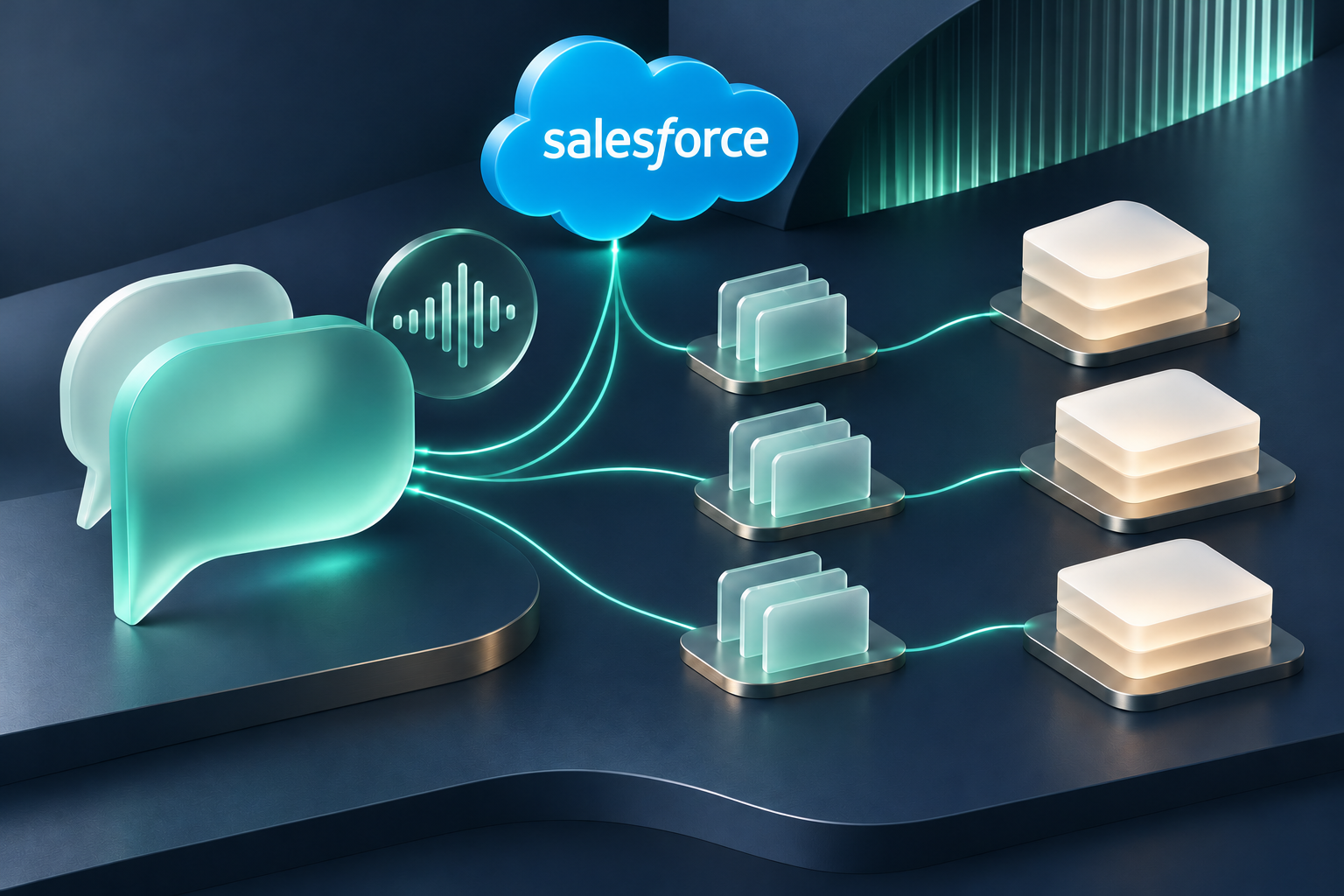
Customer service begins with a conversation. A useful contact center connects that conversation to the right knowledge, the right records and the right next step.
We design the complete journey: receiving an inquiry, understanding the customer's intent, finding permitted information, extracting structured data, applying business rules, and either resolving the request or routing an open Salesforce Case to a person.
Interactive AI assistants listen to spoken requests and respond conversationally. The service workflow can clarify the request, gather necessary details and offer a resolution within its approved authority. Customer verification is defined before personal or account-specific information is disclosed.
Incoming messages can be interpreted for intent, relevant details and the requested outcome. The workflow can populate permitted Case fields, retrieve approved guidance and prepare or send a response according to the authorization defined for that process.
Text conversations can gather information, answer supported questions and provide approved updates. Messaging permissions, customer preferences and the capabilities of connected providers are included in the channel design.
Channels feed the Salesforce Case process, with conversation context associated with the appropriate record when identification and access allow it. Your team defines what context is retained, who may see it and how work passes from an assistant to a human agent.
Full automation is designed for eligible requests within defined permissions and business rules. Requests outside that scope remain open for human handling.
The following is an illustrative service journey. The same approach can be adapted to email and text inquiries, using the channels and capabilities agreed for your project.
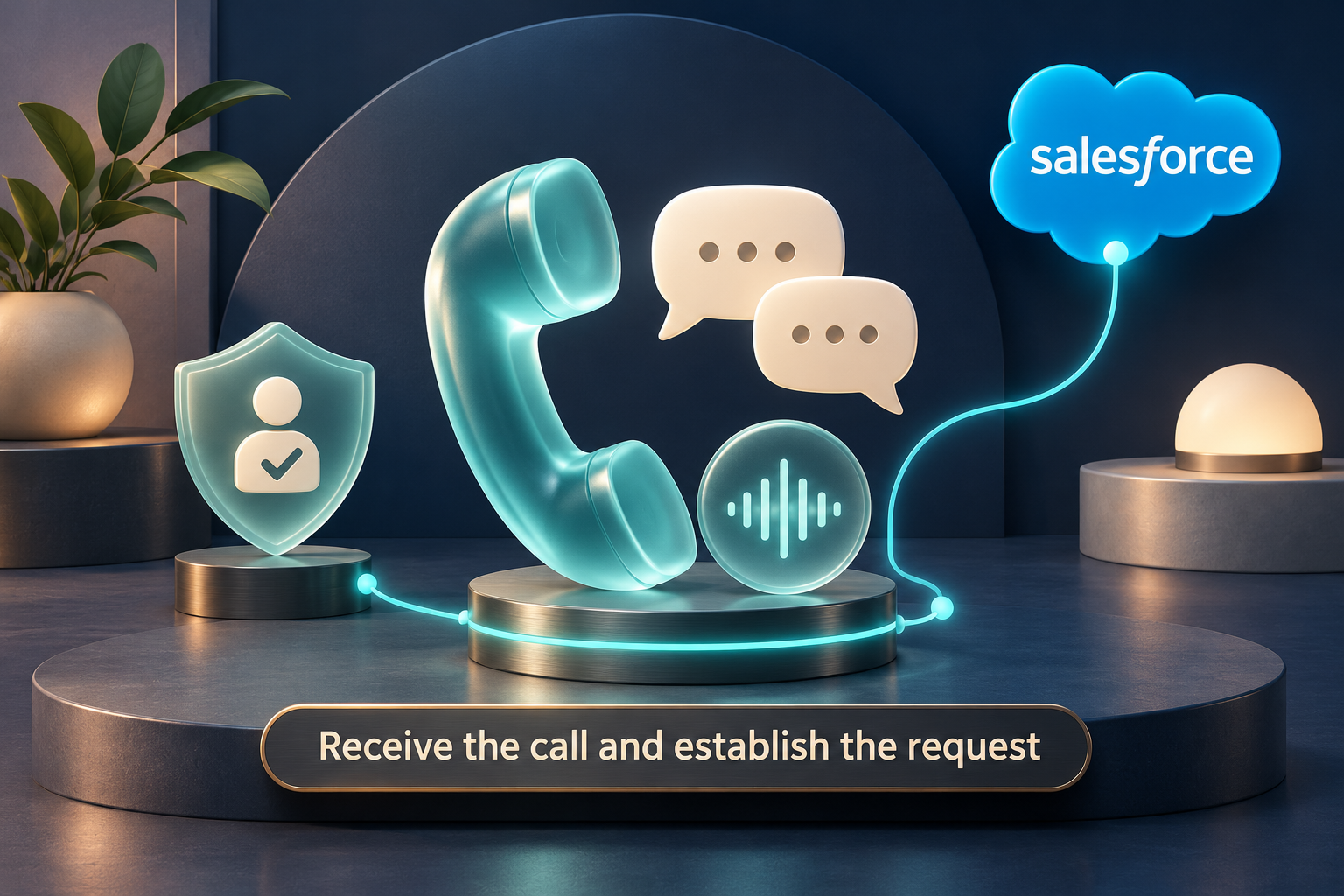
The assistant greets the caller, identifies itself as AI and asks how it can help. It follows the agreed verification process before retrieving or disclosing customer-specific information.
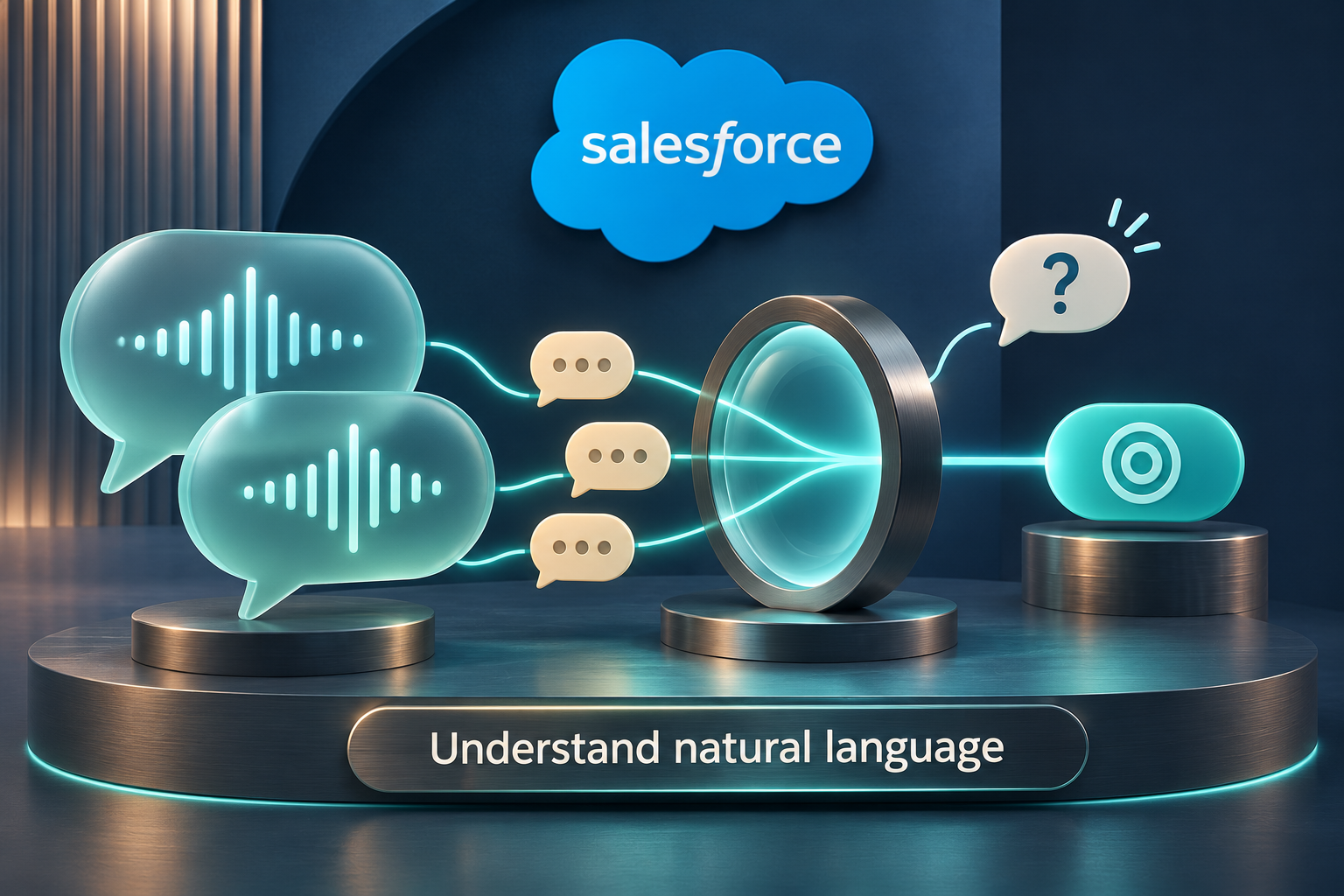
The caller explains the issue in their own words. The assistant identifies the intent, asks follow-up questions and distinguishes supplied details from information that still needs confirmation.
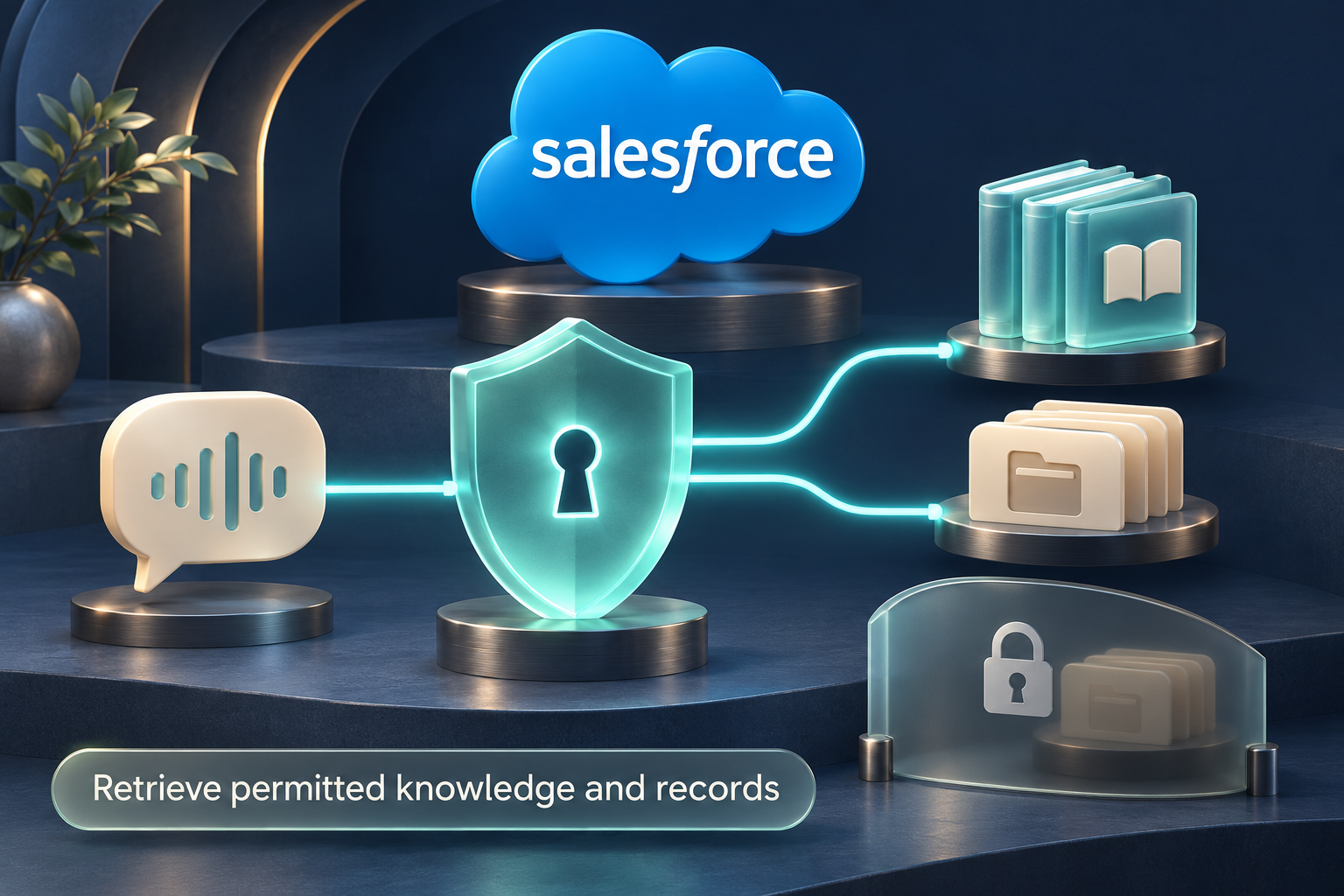
Read-only lookups retrieve relevant approved knowledge and, where authorized, Salesforce records. All read access is controlled by the permissions assigned to the executing identity, including Permission Sets, Permission Set Groups, object and field permissions, and record sharing. Customer verification and disclosure rules also govern what may be shared with the caller.
The conversation becomes a defined set of information: for example, request type, a supplied reference number, the affected product and the customer's desired outcome. The workflow checks required fields, formats and ambiguous details before using that information. Missing information prompts another question or a handoff.
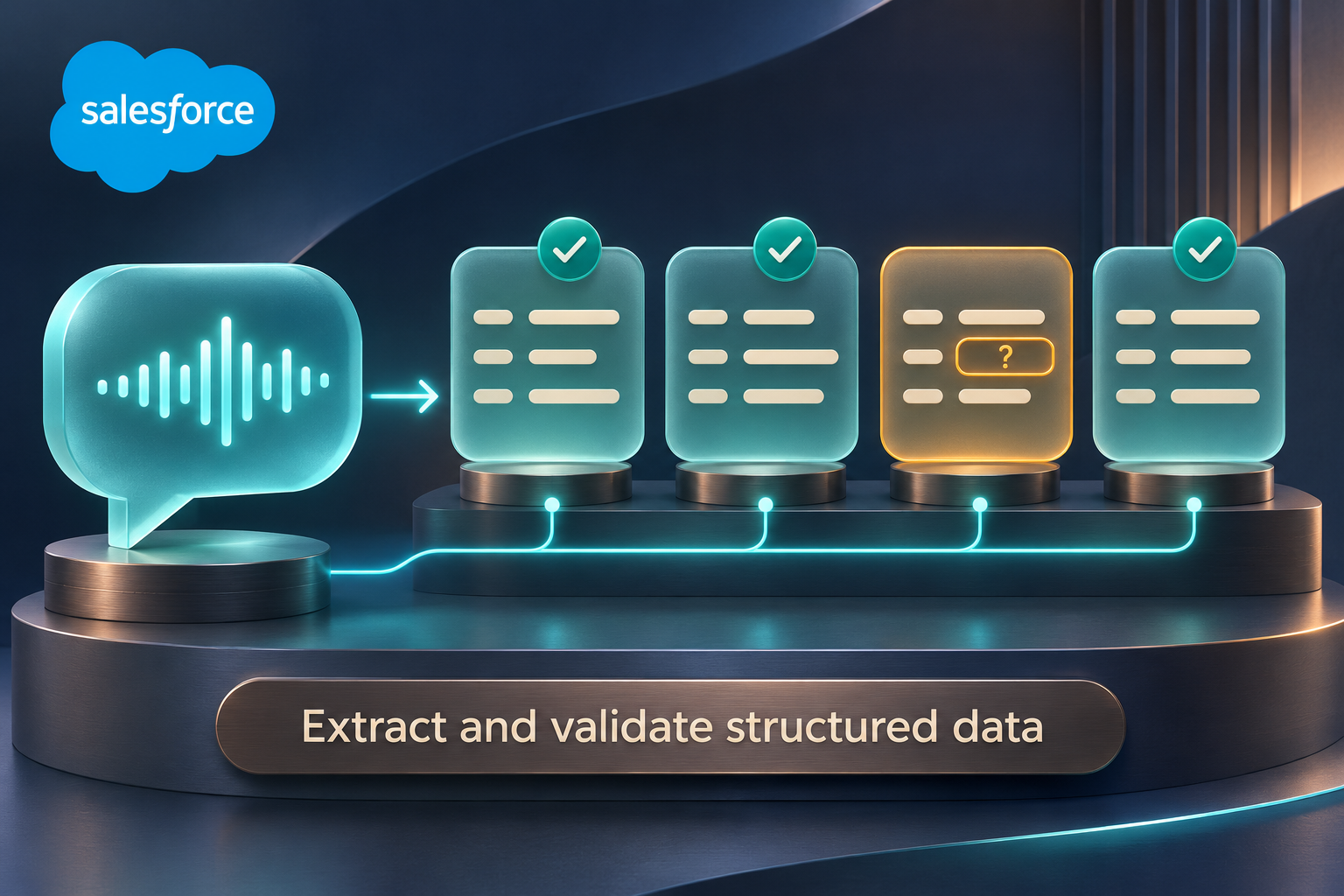
The structured information and permitted knowledge help classify the request, identify relevant guidance and determine a proposed next step. Business rules, permission checks and any required approvals decide which actions may proceed.
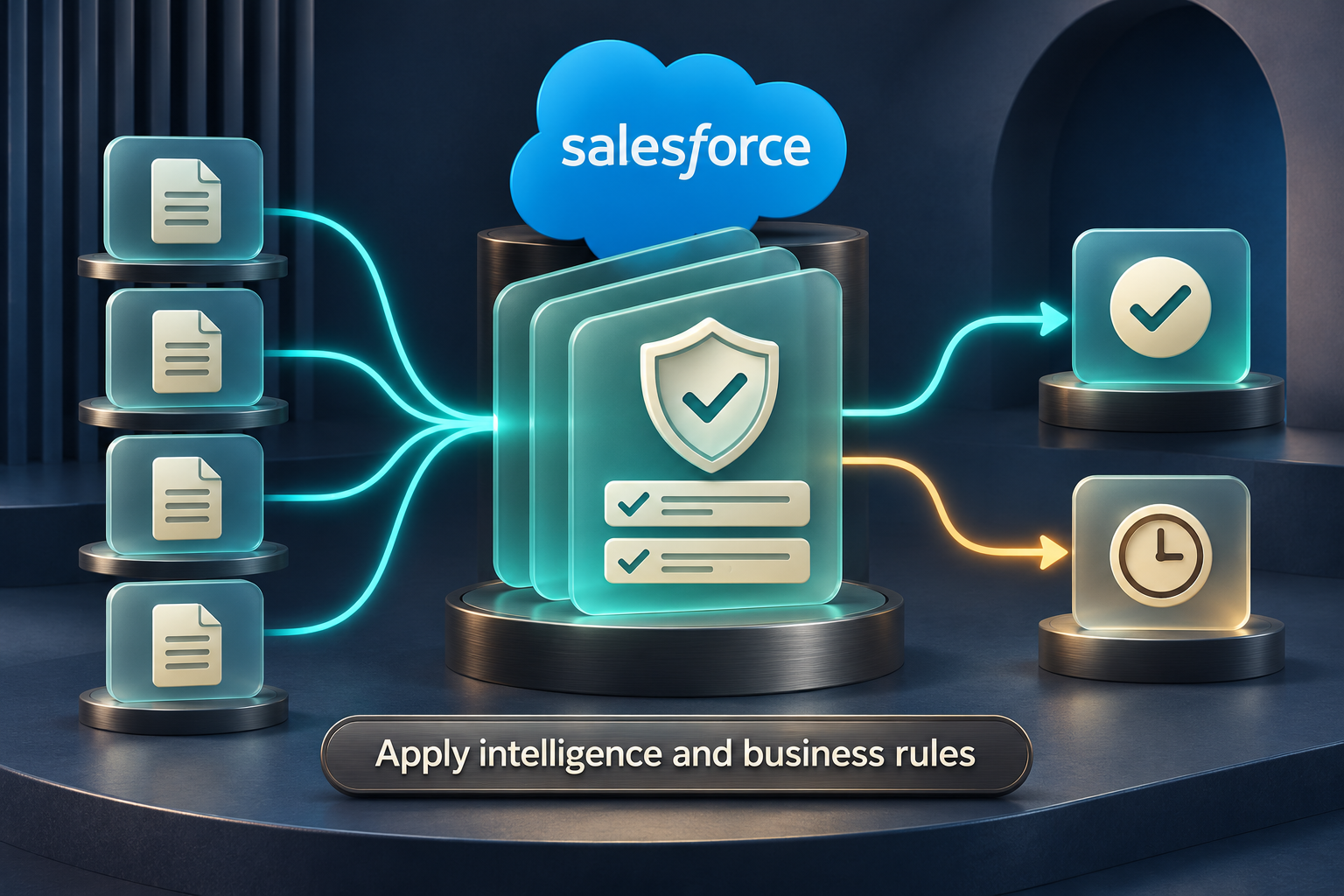
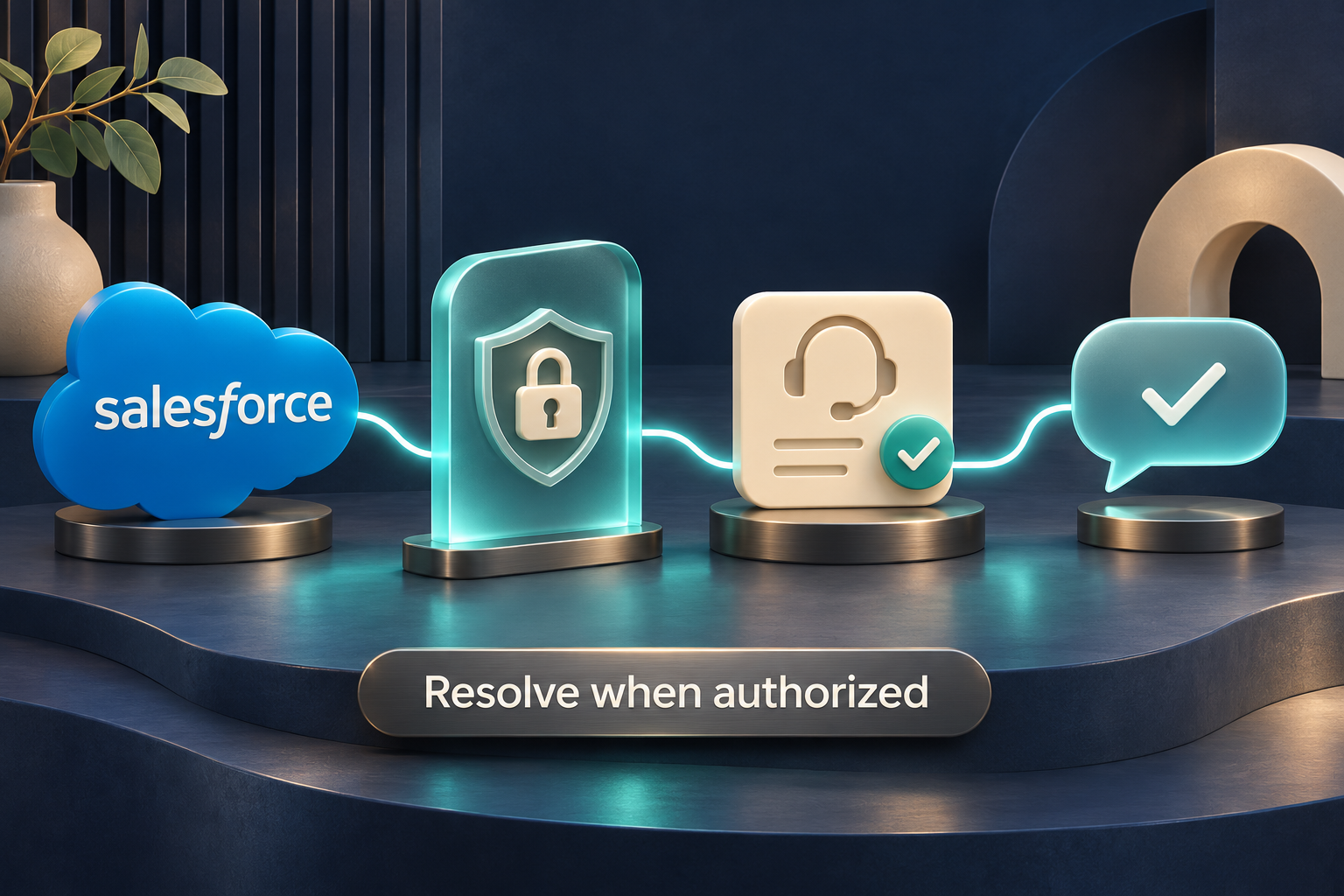
If the action is within scope, the workflow can provide a supported answer or perform a specifically permitted action, such as updating an allowed field or advancing a service process. A write requires its own authorization; read access never grants it. The assistant confirms a resolution only after the required action succeeds and the completion criteria are met.
If permission is denied, an approval is required, knowledge is insufficient, details are uncertain or an action fails, the request remains unresolved. Where Case permissions allow, the workflow creates or updates an open Case with the relevant permitted details, a summary and the reason for handoff. It routes the Case to the configured queue or human team for processing. If the assistant cannot write or route Cases, an independently authorized intake or handoff process handles the request without expanding the assistant's access.
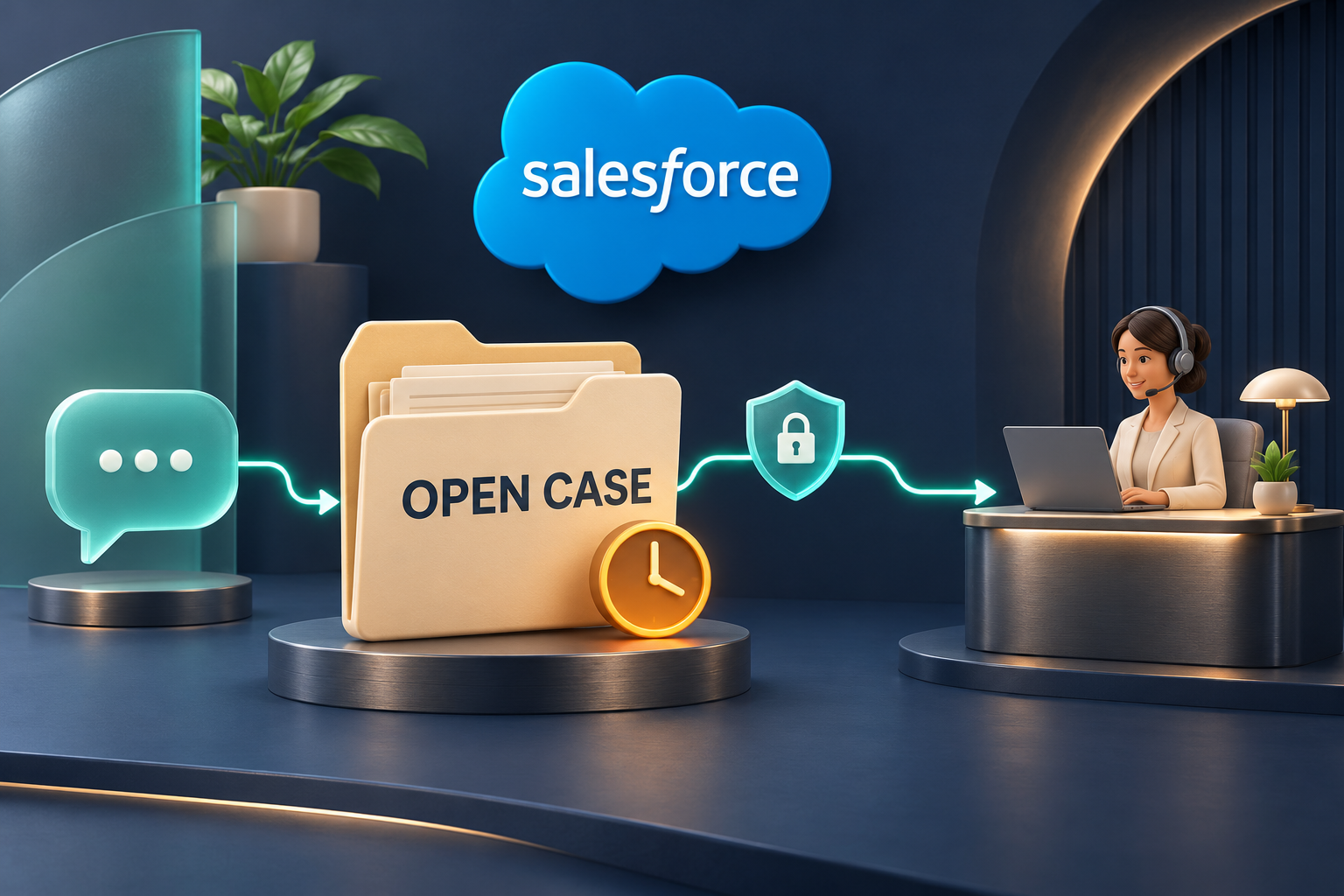
Understand → retrieve within permissions → structure and validate → evaluate → resolve within authority or route an open Case.
Your Salesforce org already has a framework for deciding who can see information and who can act on it. We build integrations and AI-assisted workflows on that foundation, using Salesforce's native access controls alongside the approvals and service rules your organization defines.
Your administrators remain in control of the access granted to each integration identity. The aim is to make new technology easier to adopt through familiar administration, clearly defined responsibilities and a focused rollout.
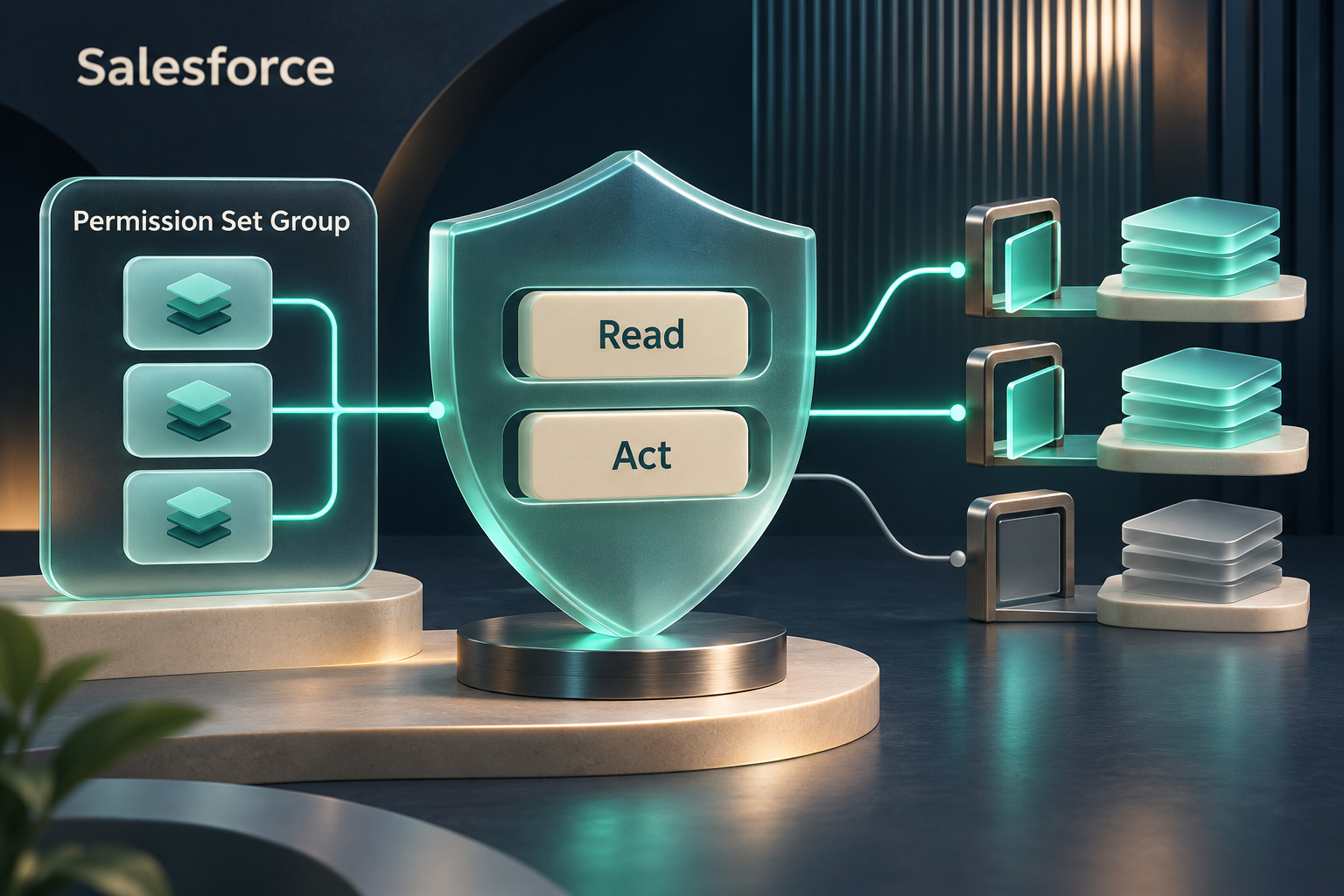
Salesforce Permission Sets let administrators grant access to specific capabilities, including relevant object, field and user permissions. We help map the work an assistant or integration will perform to the permissions it actually needs.
For example, an inquiry assistant might need to read approved product guidance and selected service information. A separate Case-handling integration might need permission to create a Case and populate particular fields. Permission to answer a question does not, by itself, authorize either a record update or a customer message.
Permission Set Groups bring related Permission Sets together for assignment and administration. They can help your team manage a consistent collection of capabilities for a defined responsibility, instead of assembling every assignment separately each time.
We review existing assignments before recommending what can be reused and what needs a dedicated integration role. A group can simplify administration, but its name does not prove that its effective permissions are appropriate. The full access of the executing identity still needs review.
An integration needs an agreed identity and a clear access scope. Object permissions determine the types of records it can work with; field-level permissions determine which details it can read or change; record sharing determines which individual records are available. Approved knowledge audiences and customer-disclosure rules add context to what may be used in a conversation.
Permission Sets generally add access. A narrowly named assignment does not cancel broader permissions granted elsewhere. We assess the identity's effective access and the behavior of each configured retrieval and action path, including any workflow that runs with elevated authority.
An employee may need internal handling guidance that a customer-facing assistant must not disclose. A supervisor may be able to approve an exception that a service agent can only request. Those distinctions remain meaningful when AI enters the workflow.
We help align knowledge access and action permissions with the responsibilities of each participant. An assistant can prepare relevant information for a human decision without receiving the human approver's authority. Access held by an integration also does not automatically establish a caller's right to receive customer-specific information.
Building on existing Salesforce administration can reduce the work required to adopt a new integration. Your team can start with the identities, permissions, sharing model and approval responsibilities it already understands, then assess the changes needed for the proposed workflow.
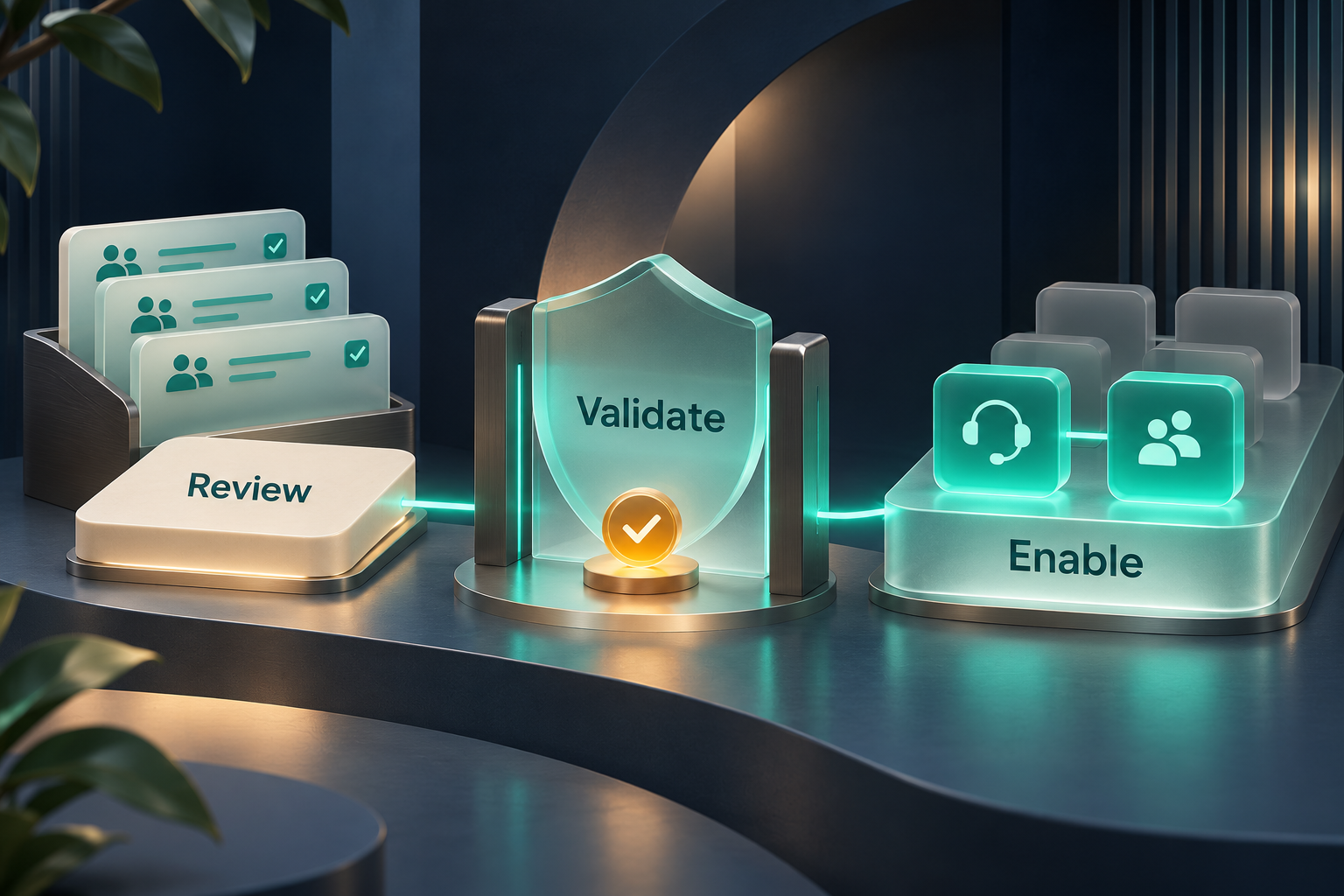
We identify the intended users, assistants, service channels, knowledge sources and business actions. Together, we define what the first workflow should accomplish and which responsibilities remain with your people.
A practical first step might be helping an assistant retrieve approved answers and collect the information a service agent needs. That can establish a useful knowledge and intake process before more actions are enabled.
Where existing Permission Sets and Permission Set Groups fit the integration's responsibilities, they can provide a familiar starting point. Where they grant too much access or serve a different purpose, we scope a more appropriate assignment.
We validate both permitted and denied scenarios: the information the assistant should retrieve, the fields it should not see, actions requiring approval and the human handoff when it cannot proceed. License requirements, org configuration and connected-provider capabilities are included in the assessment.
Your team can approve a limited workflow, evaluate its behavior and expand its scope when ready. Adding a messaging channel or a Case update is a defined change with its own access requirements and completion checks.
This approach is intended to make onboarding more straightforward and repeatable. Timing depends on your org's readiness, the quality of its knowledge, required integrations and the approvals involved. Existing access can accelerate preparation when it is suitable; it still needs validation for the new purpose.
A service team wants an assistant to answer product questions. The first scope uses approved guidance and permitted read access. The next scope could allow a separately authorized process to create an open Case with the information collected.
Later, the business may approve a specific service action for eligible requests. That action receives its own permission and business-rule checks. A request outside those conditions stays unresolved for a human agent. Each phase builds on the previous work while keeping its authority clear.
Practical benefit: a manageable adoption path, familiar administrative ownership and fewer unnecessary access changes when introducing new capabilities.
Forceware offers MCP-level security mechanisms as part of scoped integration services to authenticate communications and validate access across connected MCP services. MCP, the Model Context Protocol, provides a common way for AI applications to use external tools and knowledge. Our offering helps define which connections are trusted, what each connection may request and how a workflow can grow within approved boundaries.
For your organization, the value is a controlled way to connect capabilities: knowledge retrieval today, Salesforce service processes next, and additional approved systems as your needs develop. Each added connection brings a defined purpose and responsibility.
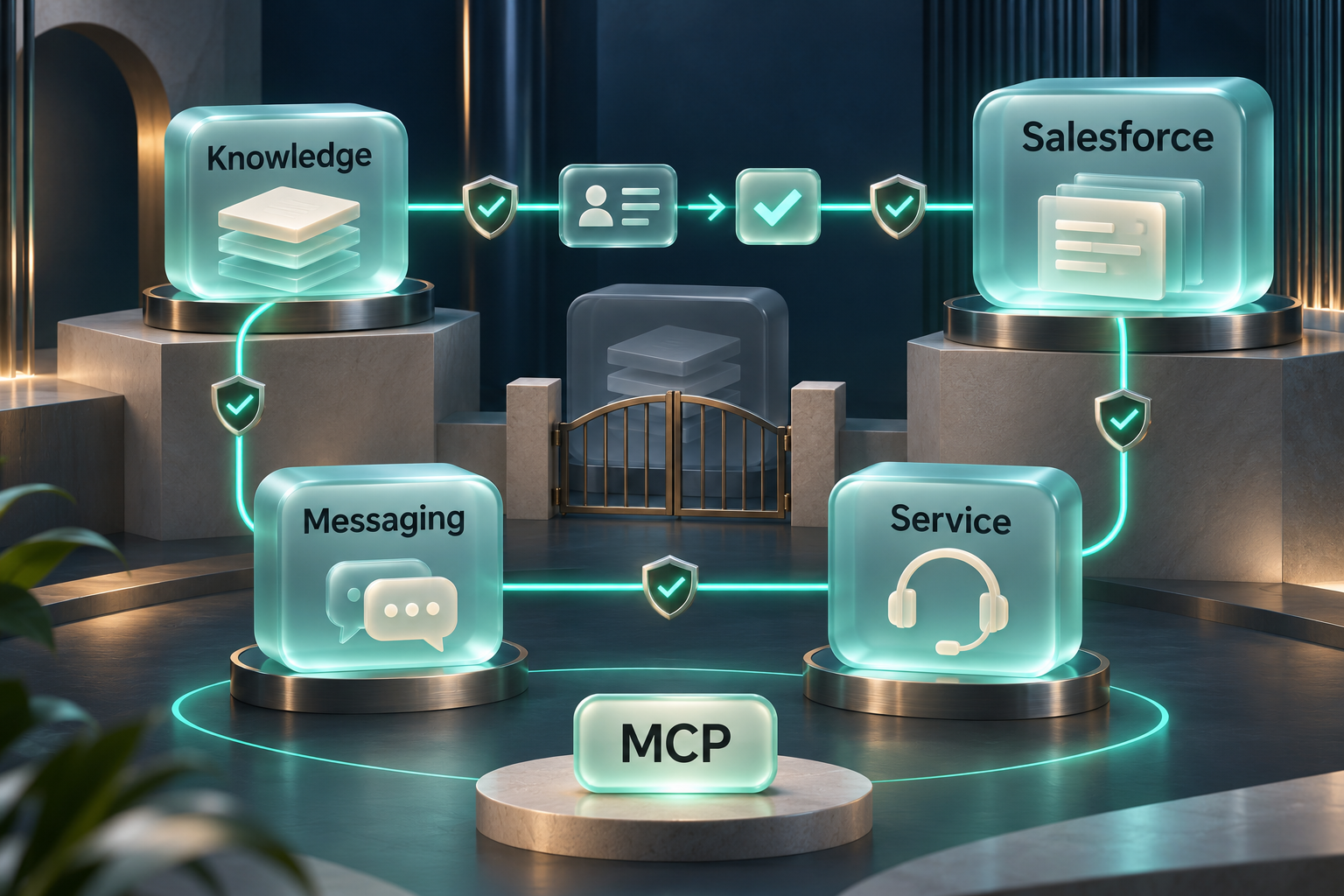
A receiving service needs a reliable basis for recognizing the caller. We scope authentication for the participating services and clients so that a configured connection can be evaluated before it is used. A service communicating with another MCP server acts as a client on that connection and must meet the receiving service's requirements.
This gives an organization a clearer basis for deciding which participants may take part in a workflow. The specific authentication capabilities and supported connections are agreed for the engagement.
Recognizing a caller is one part of the decision. The requested tool, information and action also need to fall within that caller's authority and the workflow's rules. A trusted knowledge connection should not acquire permission to send messages or update Salesforce records simply because those capabilities are connected elsewhere.
We help define validation requirements and the boundaries between participating services. Salesforce operations remain subject to the relevant Salesforce identity and access controls; an MCP connection does not replace them.
When a workflow expands, each new participant needs review for its intended role, permitted exchanges and failure behavior. Access approved for one service should not be treated as permission to call every other service or perform every available action.
For example, a workflow may retrieve a permitted service guide and prepare an answer. Adding a messaging service introduces a separate decision: whether this workflow may send that answer to this recipient through this channel. Connecting a tool and authorizing its use are distinct steps.
Dependable expansion includes deciding what happens when a participant cannot be authenticated, access is denied or a connected service is unavailable. The affected action should stop or follow the agreed recovery process. The workflow should preserve a clear distinction between a proposed action and a confirmed result.
Where the service process allows, an unresolved request can remain in an open Case for human handling. We scope retries, duplicate-action prevention and operational visibility where they are relevant, so a temporary interruption does not become an assumed success or a repeated customer action.
A customer asks for an update on a service request. A scoped workflow may need approved guidance, permitted Case information and an authorized way to send a reply. Each participating connection has a defined identity and purpose, and each requested action must be permitted.
If the workflow can read the Case but cannot send the reply, it can prepare information for an authorized human agent instead. If it cannot establish a trusted connection to a required service, it must not guess the result or silently continue the blocked action. The handoff follows the permissions available to the agreed intake process.
Practical benefit: a clearer basis for extending workflows across systems, with authenticated participation, defined action boundaries and explicit handling when a step cannot complete.
These mechanisms support secure, stable workflow expansion when correctly implemented and operated. Security and availability depend on the configured services, their controls and ongoing maintenance; scope and validation are agreed for each deployment. This describes Forceware's integration offering, not a claim that the website demonstration provides these connections or that every MCP server supplies the same protections automatically.

Lulu, our AI Marketing Assistant
"Hi. Welcome to Forceware! We are an Official Salesforce Partner, and we build interactive AI capabilities in Salesforce. I am a preview of the work and services we provide with your Salesforce organization. As part of this demonstration, I am connected to a real Salesforce org during this session, and if you give me your name and an email address or phone number, I will create a lead record in that Salesforce org, so our sales team can follow up with you. Parts or all of this conversation may be recorded for training purposes. I am configured to be an AI Marketing Assistant, and I am here to help you. If you are curious about our services, please feel free to look around and speak to me if you have some questions."
This conversation offers a practical introduction to our approach: AI assistants with a defined purpose, drawing on relevant knowledge to help you explore questions in everyday language.
Lulu demonstrates conversational AI. She is software, and her name, picture and voice represent an AI rather than a human member of staff. This website demonstration does not mean Lulu can deliver a project for you, access your Salesforce org, place an order or book a meeting.
Lulu welcomes you, says that Forceware is an Official Salesforce Partner, and introduces herself as an AI Marketing Assistant, here to help. If your browser pauses the audio, click anywhere on the page to hear her greeting.
Speak to Lulu in everyday language and hear her answers aloud. Allow microphone access when your browser asks. The voice experience is intended for Chrome, Edge or Safari; microphone and speech availability depend on your browser and device.
If your browser cannot talk with Lulu, or you do not allow the microphone, she chats with you by text in her card instead. It is the same conversation, typed: she greets you, answers your questions, may ask for your details, and closes the chat when you are finished. To chat with her again, type a new message.
Lulu explains Forceware's services, current private client work, and plans for wider availability using the public information provided to her. When that information does not answer your question, she is meant to say so rather than guess.
Whether you want to explore Salesforce services, learn about customizable AI workers, become a private client or discuss funding, Lulu can help you find the relevant information and a suitable next step.
Lulu can use what you have already discussed in the current conversation to answer follow-up questions. You can explore an idea over several exchanges without having to start your explanation again each time.
After helping with your first question, Lulu may ask for your name, your email address, your phone number and the services you are interested in, one at a time, so that Forceware can follow up. Sharing any of them is optional, and you can continue without providing them. She reads your email address back so that you can correct it.
Lulu's picture glows while she speaks, and the icon on her picture shows a moving wave when she hears you speaking. A soft typing sound indicates that she is preparing an answer.
If there is a long silence during a conversation, Lulu hangs up. The first time, she says "Hanging up now. To talk with me again, just click the microphone on my picture. Goodbye."; after that, "Hanging up now. Goodbye." In the text chat, she closes the chat the same way, saying how to chat again. On the phone, she asks "Are you still there?" first. You can also click her picture at any time to hang up.
When you indicate that you are finished, Lulu makes sure Forceware can follow up, asking once for your details if you have not shared them, and thanks you. After a short acknowledgment or a few seconds of silence, she hangs up the same way. Another question lets it continue.
You can also talk with Lulu by phone, at +1 866 604 6362. She greets you the same way, and it works the same way as on this website, with a few differences: you can talk over her to interrupt her, a soft typing sound plays whenever she is not speaking, and to talk with her again, you call back. The number you called from is kept with what Forceware saves for follow-up.
After a conversation ends, click the microphone icon on Lulu's picture to talk with her again.
If you want to become a private client, discuss funding or contact Forceware directly, tell Lulu. She takes your name, email address, phone number and what you are interested in, so that Forceware can follow up.
When your conversation ends, Forceware keeps a record of it for follow-up: the contact details you chose to share, the services you were interested in, and a short AI-generated summary. Parts or all of the conversation may be recorded for training purposes. This does not automatically create an order or book a meeting.

Individual knowledge. Shared understanding. A team working toward the same goal.
Our broader development work explores customizable AI assistants with defined roles, specialist knowledge and a shared foundation for working with people. The aim is to help teams use business knowledge consistently and improve the way work is organized.
This longer-term direction includes software engineering, project coordination, business operations and technology leadership across other platforms. These areas remain in development; availability and scope are discussed separately from a Salesforce engagement.
From a focused improvement to a complete service operation, we shape Salesforce around the work your team needs to deliver. Our services cover discovery, design, configuration, development, testing and deployment, with scope agreed before work begins.
Design and deploy Salesforce-connected contact centers that receive inquiries, understand customer needs, retrieve permitted information and carry out approved service actions. We define the assistant's role, its knowledge, the processes it can follow and the points where human judgment is required.
Voice and phone conversations, incoming emails and text messages can feed a common service process in Salesforce. Channel setup, telephony and messaging integrations, customer verification, conversation handling and Case routing are designed together. Available channels and capabilities depend on the Salesforce products, licenses and connected providers agreed for your project.
Build service workflows around clear ownership and a useful Case record. We configure intake, Case types, statuses, queues, assignment and escalation rules, and Omni-Channel routing where applicable. We help define priorities, service commitments and the information a human agent needs to continue the work.
An assistant can handle an authorized routine request or prepare a Case for specialist review. Unresolved requests stay visible, with the customer's need, relevant permitted context and the reason further action is needed.
Turn scattered documents, product guidance, service procedures and your team's experience into relevant, connected knowledge. We help identify what your org needs to know, resolve gaps and conflicting guidance, organize Salesforce Knowledge and connect approved information to the products, processes and permitted records that give it meaning.
Equip human service agents, sales representatives, account managers, technicians and operations teams with guidance they can find, inspect and apply. Give AI assistants a defined foundation for supported answers and better questions, with a common set of approved facts and the specialist knowledge each role needs.
We help establish content ownership, review and feedback so the knowledge can improve as your organization learns. Each person and assistant receives only the information their access allows. When the available knowledge does not support an answer, the workflow asks for clarification or brings in a person.
Adapt objects, fields, record types, layouts and validation rules to your business process. Build Salesforce Flows, approvals and notifications to move work between the right people and systems. Where configuration needs extending, we scope custom Apex and Lightning components.
For conversational workflows, we map customer language to defined Salesforce fields and processes. Extracted information is checked before it is used, and actions follow the permissions and business rules agreed for the workflow.
Connect Salesforce to the telephony, email, SMS and business systems involved in customer service. We define data mappings, permitted exchanges and how each system contributes to a service request.
Integration design includes authentication, access scope, failure handling and escalation paths. When a connected system is unavailable or a transaction fails, the request remains unresolved and is directed to an approved recovery or human process.
Review how service data is captured and organized so that customer conversations produce useful records. We help address missing fields, inconsistent classifications, duplicate information and gaps that prevent reliable automation.
Reports and dashboards can show Case demand, inquiry categories, automated resolutions, open work and handoffs to human agents. Measures are defined around your process so your team can evaluate what is working and where attention is needed.
Review access requirements for the people, assistants and integrations involved in your Salesforce processes. We design Permission Sets and Permission Set Groups around defined responsibilities, alongside object permissions, field-level security and record sharing. Our integration services also include scoped MCP communication authentication and access validation for connected workflows.
Before release, we test permitted and denied paths, validate the agreed workflows in an appropriate test environment, and plan deployment and handover. Your team agrees which capabilities are enabled and who can authorize changes to them.
Your organization already knows a great deal. Some of that knowledge is in Salesforce. Some is in product guides, policy documents and training material. Some lives in the experience of the colleague everyone calls when an unusual situation comes up. We help bring that knowledge together, make its meaning clear and connect it to the work your people and AI assistants need to do.
Knowledge building is a service in its own right. It can support a contact center, improve the information available to your existing Salesforce users, or prepare your organization for carefully scoped AI assistance. You do not have to automate a task to benefit from making its guidance easier to find and use.
We work with your team to identify the questions that consume time, create uncertainty or repeatedly move between departments. What does a customer need to provide? Which policy applies? What has already been tried? Who can approve an exception? What should happen next?
Those questions guide the knowledge we help you build. A useful starting point might be your most common support inquiries, the information a new employee needs during their first month, or a service process that regularly stalls because the next person lacks context.
We help review the material you choose to include, identify duplicates and outdated instructions, and organize useful information into clear articles, checklists, explanations and decision guidance. Conversations with your subject experts can capture practical experience that has never been written down. Your designated owners review that material before it becomes approved guidance.
A product manual may explain how an item works but omit the questions a support agent should ask before recommending a replacement. An experienced colleague may know those questions by heart. Bringing the manual and that approved experience together gives the next agent a more useful starting point.
An article is more useful when a person can understand why it applies to the work in front of them. We help define relationships between knowledge and relevant products, service categories, customer circumstances and Salesforce records, using the capabilities and integrations agreed for your org.
For example, an authorized service agent investigating a fault may need the product version, the customer's service entitlement, previous troubleshooting and the current resolution guide. Connected information can bring those pieces into the same working context, while keeping a general policy distinct from that customer's particular circumstances.
The aim is relevant information with a clear connection to the task. Connecting sources does not mean copying every document or exposing all customer information to everyone.
Service agents, sales representatives, account managers, technicians and operations teams all make decisions using information from more than one place. We help shape knowledge around their roles: what they need to understand, what they should check and when another person must be involved.
A human worker should be able to find the approved guidance, see its source and scope, and understand the next step. A configured assistant can help summarize that information or surface related guidance, while the person reviews the evidence and exercises judgment. The same organized knowledge can also support people who prefer to search and read directly in their Salesforce workspace.
We help define the knowledge an AI assistant needs for its specific role: the questions it should answer, the sources it may use, the details it must ask for and the situations it must hand over. Guidance can include examples of familiar customer language, required information, permitted responses and escalation conditions.
If a customer says, “The box arrived, but the part that connects it is missing,” the assistant needs more than a keyword match. Useful knowledge helps it recognize a possible missing-component inquiry, ask which product and component are involved, and find the applicable guidance. It must still confirm the facts and stay within its permissions before discussing a particular order or taking action.
People and AI assistants can work from a common set of approved product facts and policies, with additional information suited to each role. A customer-facing assistant may explain the published return process. A service agent may also need internal handling instructions. An authorized approver may need the exception criteria.
Consistency does not require identical access. Salesforce permissions and permission sets, object and field access, record sharing and approved knowledge audiences define what each participant can see. Knowledge available to an internal employee is not automatically suitable for a customer conversation. Reading a procedure also does not grant permission to execute it.
We help establish who owns each topic, what audience it serves, which product or situation it applies to and when it should be reviewed. Knowledge can retain a connection to its approved source so a person can examine the supporting information rather than rely on a summary alone.
When two documents disagree, the answer needs an owner to resolve it. We help identify the conflict and define the review process; an AI-generated explanation does not become company policy on its own. Outdated guidance needs to be updated or retired through the agreed publishing process.
Repeated questions, unsuccessful searches and Cases that require clarification can reveal where guidance is missing or difficult to use. We help define a feedback process so your people can report those gaps and your content owners can decide what to improve.
A useful resolution from a closed Case can become a candidate for a reusable article after review and removal of customer-specific information. A single customer's exception should not silently become the rule for everyone else. AI suggestions and conversation summaries remain drafts until the designated owner approves them.
These examples illustrate possible project scopes, rather than customer results or features already enabled in every org. Access, source availability, licenses and integrations are agreed for each engagement.
A customer calls about a device that has stopped working. The relevant information may include the product's warranty rules, purchase details, service entitlement and any previous support history.
We can help organize the coverage guidance and connect it to the permitted Salesforce context. An AI assistant can gather the necessary details and explain the applicable next step. A human agent can review the same approved guidance and the information already collected, instead of asking the customer to start again. If coverage is unclear or an exception needs approval, the Case stays open for the authorized person.
Practical benefit: a clearer explanation for the customer, less repeated investigation for the agent and a visible route for exceptions.
A customer is following an installation guide, but the screens on their device look different. The problem may be an old document, a different model or a software-version mismatch.
We can help distinguish instructions by product and version, link the right troubleshooting steps and identify when technical support is needed. The assistant asks the clarifying questions before offering guidance. A technician or service agent can use the same knowledge to understand what the customer has already tried and where the instructions diverged.
Practical benefit: fewer irrelevant steps, more useful troubleshooting and a smoother transition to a specialist.
A sales representative is preparing for a customer conversation and needs to understand a product's capabilities, implementation requirements and support arrangements. A marketing summary alone may not explain the limitations that matter to that customer's question.
We can help connect approved product guidance, service descriptions and relevant permitted account context. Sales can check the supported statement and identify what needs clarification before making a commitment. Service teams can use the same approved product facts when the customer later needs help. Customer-specific terms remain separate from general guidance and visible only to authorized roles.
Practical benefit: more informed conversations, clearer expectations and fewer avoidable disagreements between departments.
A new service agent receives a question about a replacement request. They know the customer's concern, but not which article to use, which details to gather or who approves an exception.
We can help build role-specific guidance that connects the process, required information, relevant Salesforce record and escalation path. The employee can find a checklist, read the supporting policy and understand when to ask for help. An AI assistant can explain unfamiliar terms using that approved material without pretending that the employee has authority they have not been granted.
Practical benefit: a more practical learning path, fewer interruptions for experienced colleagues and clearer boundaries for a new team member.
A customer emails about a delivery problem, answers follow-up questions and later calls because the issue is still unresolved. Repeating the same story adds frustration for the customer and investigation time for the agent.
For an agreed connected-channel workflow, we can help define which verified details, prior steps, relevant guidance and unanswered questions should accompany the open Case. The receiving human agent can review the permitted context and continue from the unresolved point. A proposed action remains separate from a completed one, so the next person can see what still needs doing.
Practical benefit: better continuity across channels and handoffs with a clearer starting point for the human team.
An organization changes its return policy, but an old PDF and a copied team note still describe the previous process. Different employees and assistants could otherwise give different answers.
We can help identify the authoritative policy, organize effective dates and applicability, and establish ownership for updates and retirement. Your reviewers decide which guidance applies to current requests and which remains relevant to earlier transactions. Changes are made available through the agreed publishing and review process, rather than assuming every copy updates itself.
Practical benefit: a more dependable common reference, fewer conflicting explanations and an accountable way to maintain knowledge as the business changes.
The benefits extend beyond the volume of inquiries an assistant can handle. The aim is to help your people find relevant information sooner, understand how it applies and make informed decisions with less avoidable repetition.
We agree how to evaluate the work for your org. Useful measures can include time spent finding an answer, unanswered-question patterns, repeated customer explanations, content review status and whether human agents find the guidance sufficient. Improvements depend on the quality of the available information, the implemented scope and how the knowledge is maintained.
Start with one process your team knows is difficult. We can help map the necessary sources, identify the missing guidance, define the relevant access and build a practical knowledge foundation for both the people doing the work and the AI assistants supporting them.
An assistant's ability to understand a question does not give it access to the answer. We design read-only retrieval around the access your Salesforce administrators explicitly grant.
Permission sets and the executing identity's effective Salesforce permissions govern access to objects and fields. Record sharing governs which records are available. Knowledge access is scoped to the content approved for that service. These controls must be enforced by every retrieval path in the solution.
An assistant may be allowed to read a Case without being allowed to edit it. It may explain a policy without being allowed to approve the request. Creating a Case, changing its status, sending a message and executing a business action each require the corresponding permissions and workflow authorization.
An integration's access to a record does not, by itself, authorize disclosure to a caller. Verification and customer-specific access checks determine which information can be used in that conversation and what may be communicated back.
An unavailable record, restricted field or denied action remains outside the assistant's authority. The workflow can request clarification or route the unresolved request for authorized human processing. It does not grant itself additional access to complete a request.
Forceware's eight core services help organizations improve Salesforce, build useful knowledge and introduce AI capabilities with defined access and responsibilities. We work with private clients, with each engagement's scope, integrations, commercial terms and delivery agreed individually.
The situations below are illustrative examples, not customer case studies or promises of a particular result. They show the kinds of problems each service can address and the questions that help identify a practical starting point.
What this service covers: shaping Salesforce around a business process through configuration, custom development, automation, testing and deployment. Useful starting points include repetitive administration, manual record updates, unclear approvals and work that moves between spreadsheets and Salesforce.
Example: the sales team keeps assigning leads by hand. A manager reviews new inquiries every morning, works out the appropriate territory and forwards each one to a representative. Forceware can help define the assignment criteria, identify the Salesforce information required and design an approved routing process with a review path for incomplete or exceptional inquiries. The intended benefit is less routine sorting and clearer ownership of new work.
Example: a completed sale triggers a long checklist. Staff copy information into several records, email another department and track outstanding steps in a spreadsheet. We can help map the handover and automate agreed Salesforce updates and notifications, with approvals where needed. The business can aim for fewer missed steps and better visibility of what remains outstanding.
A useful question: “Which Salesforce task does your team keep doing by hand, and where does it tend to stall?”
A short explanation: “We can help turn that repeated Salesforce process into a clearer workflow, with the right checks and approvals. A useful starting point is the step that takes the most manual effort.”
What this service covers: customer conversations across voice, phone, email and text, connected to approved knowledge and permitted business actions. The scope includes clarification, information collection, eligible resolutions and human handoffs.
Example: customers repeatedly call with the same product questions. Agents spend much of the day explaining setup requirements or asking which product the customer has. An agreed AI-assisted process could ask the relevant questions and use approved guidance to explain the next step. Requests beyond the available knowledge or permissions stay unresolved for a human agent. The intended benefit is more useful routine assistance and better-prepared specialist handoffs.
Example: inquiries arrive while the service team is unavailable. A business wants customers to explain their needs outside the team's working hours. We can scope an assistant that gathers the permitted details and, through an authorized process, prepares an open Case for follow-up. Operating hours, channel support and availability arrangements are agreed; continuous availability or immediate resolution is not assumed.
A useful question: “Which inquiries repeat most often, and which ones should always go to a person?”
A short explanation: “An AI contact center could help with supported routine questions and gather the details your agents need. Requests outside its knowledge or authority would remain open for human handling.”
What this service covers: organizing approved documents, business information and employee expertise into relevant, connected knowledge. Human workers and AI assistants can use common facts with guidance and access suited to their different responsibilities.
Example: everyone relies on one experienced colleague. A service team regularly interrupts its senior employee to ask which procedure applies. We can help capture that employee's practical guidance, have the appropriate owner review it and connect it to relevant products and Salesforce service processes. The intended benefit is making useful experience available when that colleague is busy or away, while giving newer staff a clearer basis for decisions.
Example: staff find several versions of the same policy. One guide describes the old process, a shared document describes a newer one and employees are unsure which applies. We can help identify the authoritative source, clarify applicability and define content ownership and review. Human agents can inspect the supporting guidance, while configured assistants use the approved material within their access scope.
A useful question: “What information is hardest to find, or still lives mainly in someone's experience?”
A short explanation: “We can help connect your approved guidance and your team's experience to the work in Salesforce. That gives both employees and AI assistants a more useful reference for the questions they face.”
What this service covers: intake, Case classification, assignment, escalation and resolution, with clear ownership and context for the next person. This service can improve a human-run service operation as well as support an AI contact center.
Example: a shared inbox has no clear owner for each request. Several people reply to one inquiry while another receives no response. We can help define how requests enter Salesforce, what information a Case needs and how responsibility passes to the appropriate team. The aim is visible ownership and a clearer view of unresolved work.
Example: customers repeat themselves at every transfer. A billing question passes through general support before reaching a specialist, but its earlier context is missing. We can help define the Case information, prior steps and unanswered questions that should accompany a handoff, subject to access permissions. An agent can then continue from a more useful starting point.
A useful question: “When a request changes hands, can the next person see what has been tried and what still needs doing?”
A short explanation: “We can help give each request a clear owner and a useful Case record. That makes it easier for the next team to continue the work and see why it remains open.”
What this service covers: connecting Salesforce with approved knowledge, communication channels and other business capabilities. MCP means Model Context Protocol, a way for AI applications to use connected tools and knowledge. We scope the participating connections, permitted exchanges and the authentication and action validation needed for the workflow.
Example: agents switch between systems to answer one question. A service agent checks Salesforce, a product-information source and another approved business system before preparing a reply. We can help assess which connections are supported and how permitted information can be brought into the service process. The aim is less repeated navigation and clearer context, without assuming unrestricted access to every system.
Example: the business wants to add text updates to a working service process. Connecting a messaging capability introduces new questions: which workflow can send, who may receive the message and what information it may contain. We can help define those exchanges and the behavior when a connection is unavailable or an action is denied. A connection alone does not authorize a message.
A useful question: “Which systems does your team move between, and what information or action needs to pass between them?”
A short explanation: “We can assess how to connect those capabilities to your Salesforce workflow with defined access for each connection. The scope would include what happens when a service is unavailable or a step is not permitted.”
What this service covers: defining appropriate Salesforce access for people, assistants and integrations using Permission Sets, Permission Set Groups, object and field permissions, record sharing and agreed action approvals. The work reviews effective access rather than relying on a role or group name alone.
Example: a business wants an assistant to read Cases but not change them. We can help define the permitted information and separate the read-only purpose from actions such as editing a record or sending a response. If a request requires an unavailable permission, it stays unresolved for an appropriately authorized person or process. The intended benefit is a clearer boundary between finding information and doing something with it.
Example: a new integration appears to need administrator access. We can help review its actual responsibilities, identify suitable existing permissions and scope a more limited identity where appropriate. Permission Set Groups may simplify repeatable assignment, but the full effective access still needs validation. The goal is manageable administration and authority appropriate to the task.
A useful question: “What should this assistant be able to read, what may it change, and who approves exceptions?”
A short explanation: “We can help define the access the integration needs using Salesforce's existing controls. Reading, changing records and communicating with customers can have separate permissions and approval requirements.”
What this service covers: Build Your Own Model (BYOM): helping your organization develop a private model capability focused on its business and grounded in maintained, permission-aware company knowledge. For a private processing requirement, company information stays within the agreed organizational boundary rather than going to external frontier-model services. We also integrate Anthropic, OpenAI and Google Gemini for separately approved use cases.
Example: the organization already has an approved model service. Its technology team wants to evaluate that service for an internal Salesforce drafting task. We can help assess feature compatibility, the information the task requires, the model's handling conditions and how a human will review its output. The aim is to evaluate existing investment within a defined use case rather than introduce an unapproved destination for data.
Example: a local government unit wants AI assistance with resident inquiries. Public permit guidance and confidential applicant correspondence have different handling requirements. We can help scope appropriate model options and separate those uses, with review by the organization's authorized teams. Federal-agency projects also require confirmation of the actual features, model services and approved deployment boundary. BYOM alone does not guarantee security, residency or compliance.
A useful question: “Do you already have an approved model, hosting arrangement or data-handling requirement we should design around?”
A short explanation: “BYOM means Build Your Own Model. We help build a private AI capability around your business and its knowledge, so authorized people and AI assistants can find a wider, better-supported view of company information. We can also evaluate frontier models for work where external processing is approved.”
What this service covers: improving the completeness, consistency and organization of Salesforce information, then developing reports and dashboards around useful business questions. The aim is information people can understand and use when deciding where to act.
Example: managers cannot tell why Cases are backing up. Categories are missing or inconsistent, so reports do not explain demand or handoffs. We can help define useful classifications, review how information is captured and shape reports around open work, ownership and recurring inquiry types. Better-organized data can give the team a clearer basis for prioritizing improvements.
Example: duplicate or incomplete records undermine automation. Different teams use different names for the same product or omit a field needed for routing. We can help review the data-quality issues and define appropriate corrections and capture rules. Any changes to live records need the relevant authorization. Reports can then help the team evaluate the quality of the information it relies on.
A useful question: “Which decision is hard to make because the Salesforce information is missing, inconsistent or difficult to report on?”
A short explanation: “We can help improve how that information is captured and organized, then shape reporting around the decision you need to make. The starting point is understanding the gaps that make today's report difficult to trust.”
A business problem can involve several services. The most useful starting point depends on where the work is getting stuck; a client does not need to request all eight services.
| What a customer is experiencing | A likely starting service | Related work that may help | |---|---|---| | “We copy the same details and send the same reminders every day.” | Salesforce Design & Automation | Data Quality & Insights; Security & Access Governance | | “Our agents spend most of their time answering the same questions.” | AI-Powered Contact Centers | Knowledge for People & AI; Service Cloud & Case Management | | “Nobody knows which document has the current answer.” | Knowledge for People & AI | Security & Access Governance; Data Quality & Insights | | “Customers get transferred, but nobody owns the request.” | Service Cloud & Case Management | Knowledge for People & AI; AI-Powered Contact Centers | | “An agent has to open several systems to prepare a reply.” | Salesforce & MCP Integrations | Knowledge for People & AI; Security & Access Governance | | “We want an assistant, but we need to control exactly what it can access.” | Security & Access Governance | The service process and integrations the assistant would use | | “We already have a model that our organization has approved.” | Frontier Models & BYOM | Salesforce & MCP Integrations; Security & Access Governance | | “Our dashboards do not explain why work is delayed.” | Data Quality & Insights | Service Cloud & Case Management; Salesforce Design & Automation |
These are examples of possible starting points, not diagnoses or fixed service bundles. Understanding the current process and the desired outcome comes before agreeing a solution.
A small team receives repetitive email inquiries, searches several documents and manually assigns requests. A practical engagement might begin by organizing approved answers and defining a useful Case process. An assistant could be considered for eligible routine questions after the knowledge, permissions and handoffs are clear. Reporting could help the team assess what still reaches a person and where further improvements are needed.
The services support different parts of the same problem: Knowledge for People & AI provides guidance; Service Cloud & Case Management defines ownership; an AI-Powered Contact Center can support approved conversations; and Data Quality & Insights helps evaluate the resulting work. The actual sequence and scope are agreed for that business.
A business adds new employees, but its experienced staff keep being interrupted and different teams follow different procedures. Knowledge building can capture approved guidance and make applicability clearer. Salesforce automation can then support agreed repeated steps, while security governance defines what each employee or integration may do.
The intended benefit is a more consistent working process and a stronger basis for learning. A sensible evaluation could look at whether employees can find the applicable guidance and which questions still need an expert, rather than assume a particular productivity gain.
An organization has an approved model service but needs useful Salesforce context for an internal drafting task. The engagement could combine Frontier Models & BYOM, Knowledge for People & AI and Salesforce & MCP Integrations, with Security & Access Governance defining the access and human approvals.
The model connection, permitted information and output review are evaluated together. An approved model does not authorize use of every record or remove the need to assess the complete workflow.
A useful first conversation starts with the work you want to improve, who does it today, where it becomes difficult and what a better outcome would look like. You can describe the kinds of systems and information involved without sharing credentials, customer records or sensitive documents.
Forceware can discuss which service or combination of services may fit, then agree the capabilities, responsibilities, terms, testing and delivery for the engagement. Prices, timelines, measured improvements and compatibility cannot be determined from an illustrative example alone.
Lulu is the website's AI Marketing Assistant. She can explain these services and their examples from the available knowledge, discuss a visitor's interest and take contact details if the visitor chooses to provide them. She cannot inspect a visitor's Salesforce org, perform the described client work, place an order or authorize a project. Knowledge about a service does not give the demonstration the capability to deliver it.
Bring us the Salesforce process you want to improve: a contact center to design, service work to automate, knowledge to organize or an existing org that needs attention. You do not need a finished technical brief.
We are currently working with private clients while preparing for wider availability. Engagements are considered individually; public scope, pricing and launch timing are not yet confirmed.
Forceware is privately funded. We welcome inquiries about potential private funding, as well as conversations with businesses interested in our services.
Contact: hello@forceware.io